
With remote work and cross-regional collaboration becoming increasingly common, video conferencing has become a crucial bridge for communication among businesses and organizations. Choosing the right video conferencing equipment is a crucial first step to achieving a smooth and efficient video conferencing experience. The following sections detail the key points to consider when selecting video conferencing equipment.
Functional Compatibility Requirements
Video Capture: Determine camera specifications based on the meeting scenario. Design workshops require 4K resolution and 60fps to capture detailed footage; general meetings require 1080p and 30fps. For large spaces, choose a wide-angle camera of 120° or greater to avoid blind spots.
Audio Processing: Microphones and speakers are tailored to the size of the meeting room. For small rooms, use a 5-8 meter microphone and a 30-50W speaker; for medium-sized rooms, use an 8-12 meter microphone and a 50-100W speaker; for large rooms, use a microphone array with a range of over 12 meters and a speaker with a power of 100W or greater. Noise reduction and echo cancellation features can improve sound quality.
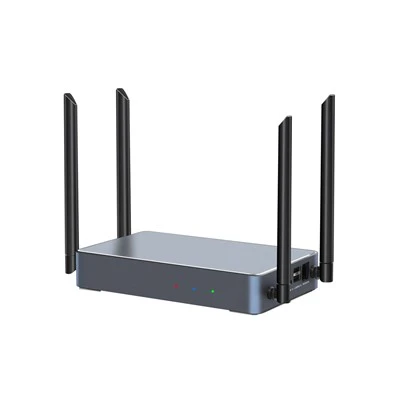
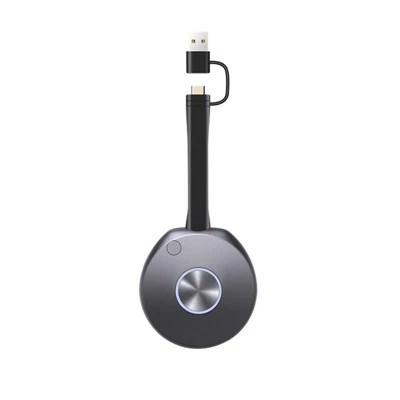
Data Sharing: For frequent data sharing, devices should support multiple methods, such as stable, low-latency wireless screen projection. High-end devices with annotation and multi-person collaborative editing capabilities can enhance meeting interactivity.
Performance Considerations
Video Performance: In low-light environments, a high-ISO camera can reduce noise and ensure image quality. The device must have good interference immunity to ensure stable video transmission without lag or screen distortion.
Audio Performance: The microphone sensitivity should be adapted to the environment to avoid noise intrusion. High-quality speakers should have a frequency response of 20Hz-20kHz and an audio latency of less than 50ms to prevent audio and video desynchronization.
Device Stability: Choose devices with reliable hardware architecture and mature software. Consider the mean time between failures (MTBF). Well-known brand terminals can have an MTBF of tens of thousands of hours, reducing the risk of failure.
Budget and Cost-Effectiveness
Clear Budget: Based on your company's funding, allocate the budget for video, audio, and display equipment appropriately, e.g., 40%-50% for video, 30%-40% for audio, and 20%-30% for display. Adjust as needed.
Evaluate Cost-Effectiveness: Compare different brands and models, referencing reviews and user ratings. Avoid choosing low-priced, low-quality, or overpriced, overpriced equipment. Domestic brands often offer products with similar performance at better prices.
Consider Long-Term Costs: Pay attention to energy consumption, maintenance, and software upgrade costs. Energy-saving equipment reduces electricity costs, while easy maintenance and shared parts reduce maintenance costs. Reasonable software upgrade fees ensure functional updates.
Compatibility and Scalability Assessment
System Compatibility: Ensure the equipment is compatible with existing video conferencing platforms and internal equipment. Consult the supplier or review the compatibility list before purchasing to ensure interoperability.
Scalability: To adapt to business growth, the video conferencing terminal should be able to connect to external devices, display devices can be spliced, and the software system can be upgraded with new functional modules.